Block distracting sites. No account, no tracking.

Steady Focus is a calm, honest website blocker for Chrome and Edge. Block as many sites as you like for free, start a focus session when you need one, and get on with your day. Everything runs in your browser.

The block list and focus sessions are free forever, with no limit on sites. Pro is $2.99/month or $19.99/year, with a 7-day trial that starts when you first switch on a Pro feature. Cancel anytime.

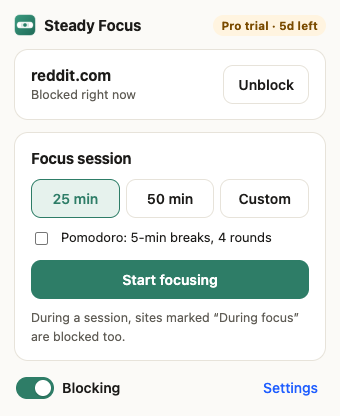
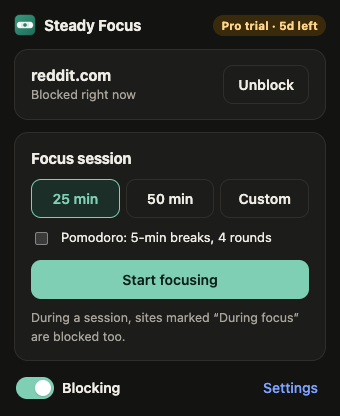
Steady Focus toolbar popup: reddit.com is blocked right now, with buttons to start a 25 or 50 minute focus session Steady Focus toolbar popup in dark mode: reddit.com is blocked right now, with buttons to start a 25 or 50 minute focus session

Free, and actually useful

No site limit, no nagging, no sign-up. The free plan is a complete website blocker, not a demo.

An unlimited block list

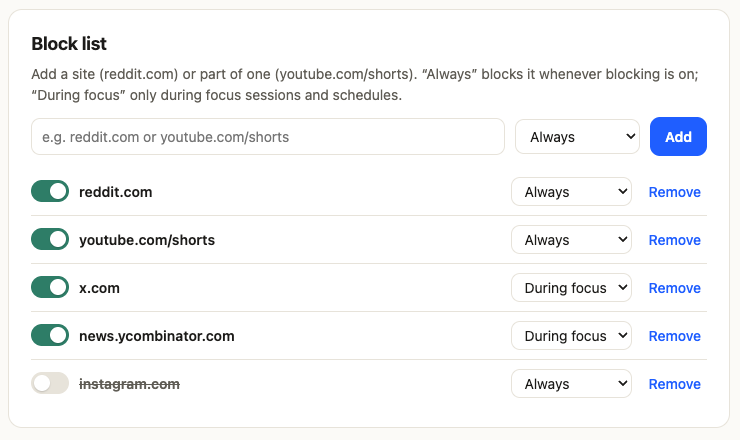
Block whole sites like reddit.com, or just part of one like youtube.com/shorts. Mark each one “Always” or “During focus”, and switch any of them on or off.

  • No cap on the number of sites
  • “Block this site” in one click from the toolbar
  • Focus sessions of 25 or 50 minutes, or your own length
  • Optional Pomodoro breaks and rounds
  • A calm block page with a Back button
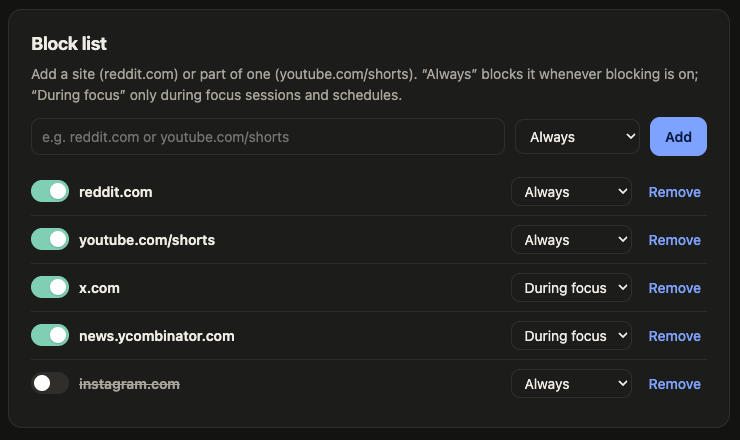
Block list settings with reddit.com, youtube.com/shorts, x.com, news.ycombinator.com and instagram.com, each set to Always or During focus Block list settings in dark mode with five sites, each set to Always or During focus

A block page that doesn't scold you

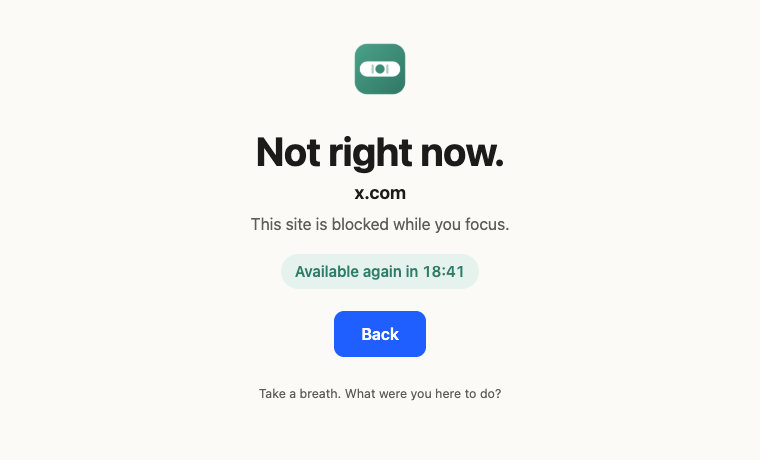
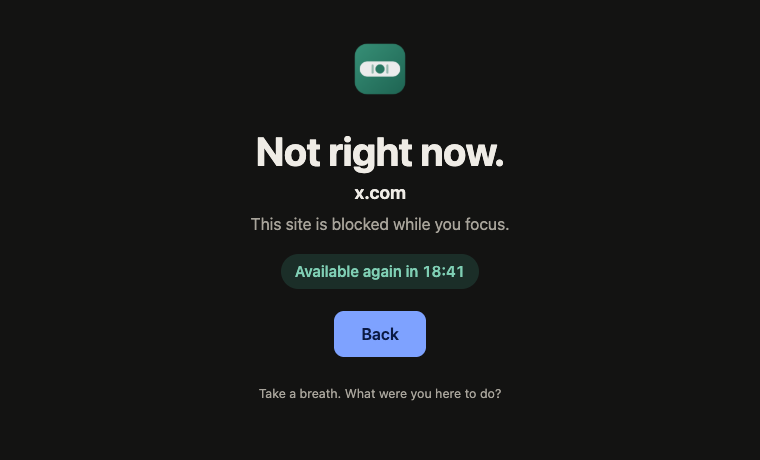
When you reach for a blocked site, you get a quiet reminder of what's blocked and when it opens again. No guilt trips, no motivational quotes, just a way back to what you were doing.

Block page reading “Not right now. x.com. This site is blocked while you focus. Available again in 18:41” with a Back button Block page in dark mode reading “Not right now. x.com. Available again in 18:41” with a Back button

Pro, for when willpower needs backup

Try every Pro feature free for 7 days. The trial starts the first time you switch one on, not when you install, and it needs no card.

  • Schedules: recurring focus windows, like weekdays 9–5, including overnight ones.
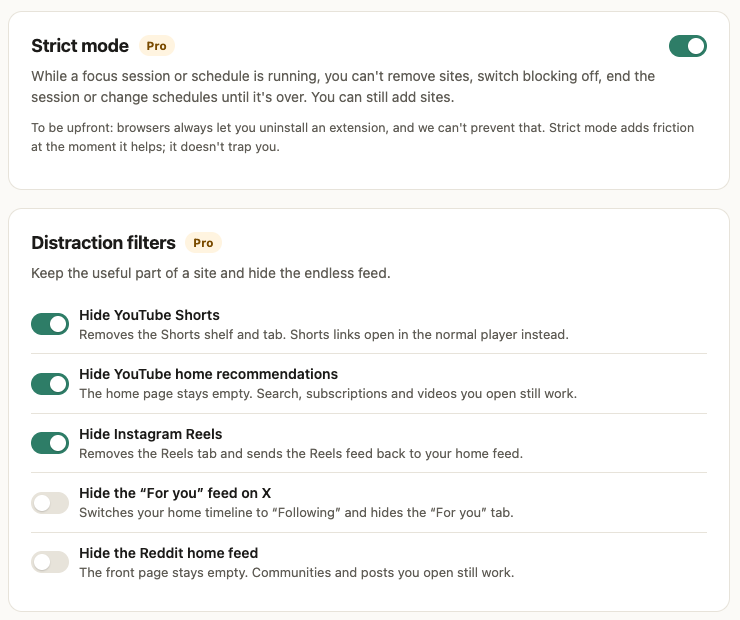
  • Strict mode: while a session or schedule runs, sites can't be removed and blocking can't be switched off until it ends.
  • Distraction filters: hide YouTube Shorts and home recommendations, Instagram Reels, the “For you” feed on X and the Reddit home feed.
  • Allowlist mode: during focus, only the sites you choose open.
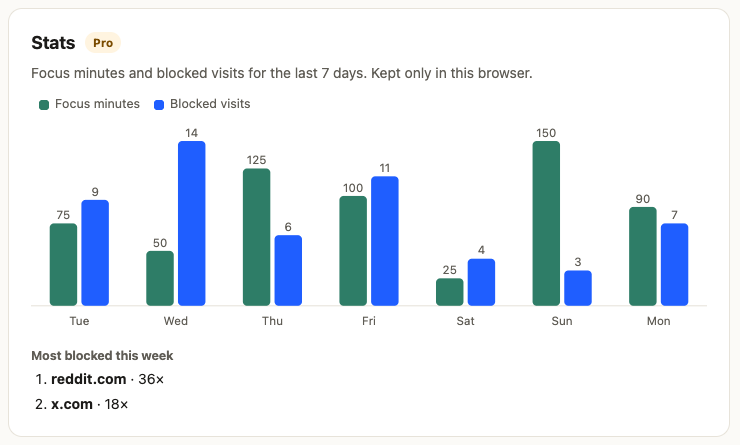
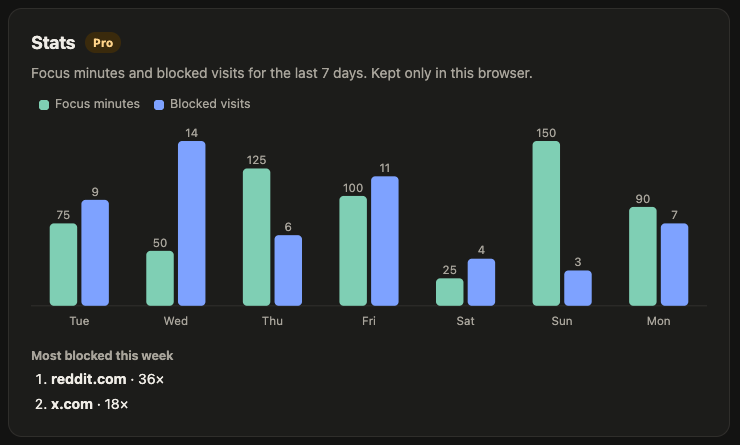
  • Stats: focus minutes and blocked visits for the week, kept only in your browser.
  • Settings password: a speed bump for your future self.
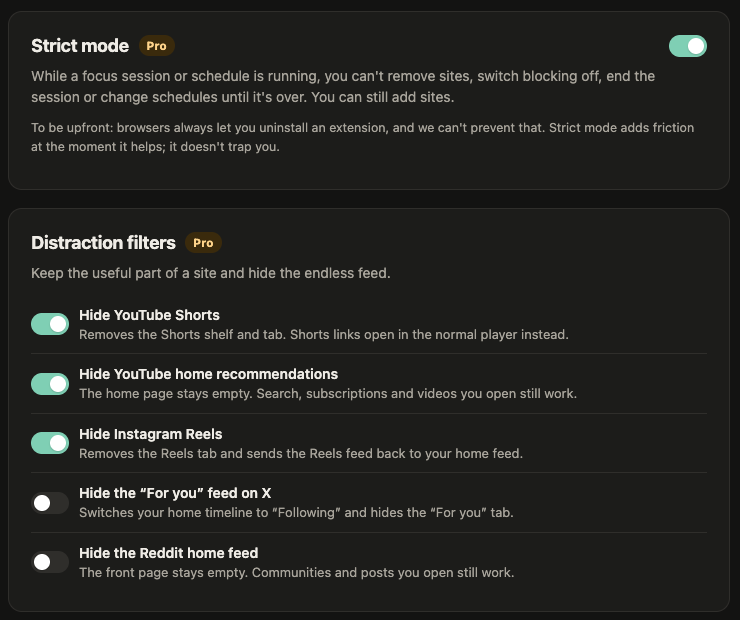
Strict mode switched on, and distraction filters for YouTube Shorts, YouTube home recommendations, Instagram Reels, the X For you feed and the Reddit home feed Strict mode and distraction filter settings in dark mode

Stats that stay with you

See how many minutes you focused and how often you reached for a blocked site this week. The numbers are computed and stored in your browser. We never see them.

Weekly stats chart with focus minutes and blocked visits per day, and the most blocked sites this week Weekly stats chart in dark mode with focus minutes and blocked visits per day

How it works

Three steps, no account. Steady Focus opens its settings after you install it.

STEP 1

Add your distractions

Type a site or a path, or click “Block this site” in the toolbar while you're on it. Choose “Always” or “During focus”.

STEP 2

Start a focus session

Pick 25 or 50 minutes or your own length from the toolbar button, with optional breaks. Or let a Pro schedule start it for you.

STEP 3

Get on with it

Blocked sites show a calm block page until the session ends. Tabs that were already open on them are moved there too.

A timer you can glance at

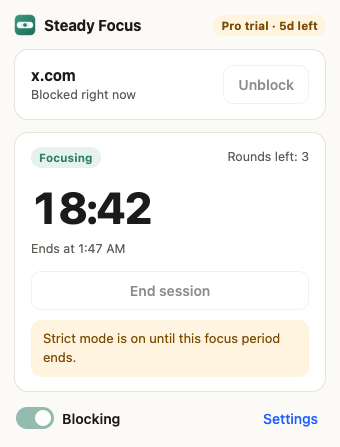
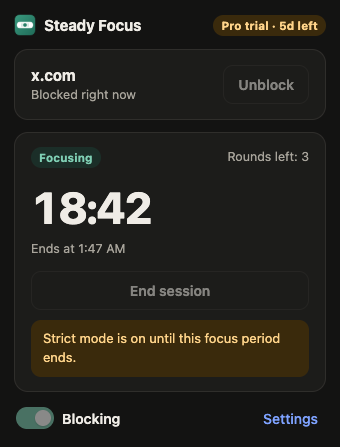
The toolbar popup shows how long is left, how many rounds remain and whether strict mode is holding the line.

Toolbar popup during a focus session: 18:42 left, 3 rounds left, with a note that strict mode is on until this focus period ends Toolbar popup in dark mode during a focus session with 18:42 left

How it compares

Website blockers vary a lot, so check the listing of whatever you install. Here's what Steady Focus does, next to what's common elsewhere.

Steady FocusCommon in other blockers
Free block list limitUnlimitedOften capped at a handful of sites on the free plan
Account requiredNo, neverSometimes, especially for sync or paid plans
Analytics or trackingNoneVaries; some collect usage data
Where your browsing is checkedIn your browser; URLs never leave itVaries
Site access requestedOnly 5 sites, for the optional filtersOften “all websites”
Pro price$2.99/month or $19.99/yearVaries
CancellingAnytime, from your receipt emailVaries

Pricing

The block list and focus sessions are free forever. Pro starts with a 7-day free trial the first time you switch on a Pro feature. No card needed for the trial, and you can cancel anytime.

Free
$0
forever
  • Unlimited block list
  • Sites or paths, Always or During focus
  • Focus sessions and Pomodoro breaks
  • Calm block page
Install free
Pro monthly
$2.99 / month
renews monthly · cancel anytime
  • Everything in Free
  • Schedules and strict mode
  • Distraction filters
  • Allowlist mode, stats, password
  • Up to 5 browsers
Get Pro monthly
Pro yearly
$19.99 / year
renews yearly · about 44% less than monthly
  • Everything in Pro monthly
  • Works out to about $1.67 a month
  • Up to 5 browsers
Get Pro yearly

When you cancel, Pro keeps working until the end of the period you paid for. If the trial ends and you don't buy, Pro features pause and your settings are kept; the free block list and focus sessions keep working. See the terms for details.

FAQ

Does Steady Focus see my browsing history?

Your browser tells the extension which page a tab is opening, and Steady Focus checks it against your block list right there in the browser. Nothing about your browsing is sent to us or anyone else. It keeps a local count of blocked visits per site per day (for up to 90 days) and your focus minutes, and those never leave your browser either. The only network request it makes is checking your license key, if you have one. Details are in the privacy policy.

Can't I just uninstall it during strict mode?

Yes, and we'd rather tell you than pretend otherwise: browsers always let you uninstall an extension, and no extension can prevent that. Strict mode stops you from removing sites, pausing blocking or ending a session until the focus period is over. It adds friction at the moment it helps; it doesn't trap you.

Which sites do the distraction filters support?

YouTube (hide Shorts, with Shorts links opening in the normal player, and hide home recommendations), Instagram (hide Reels), X (hide the “For you” feed and switch to Following) and Reddit (hide the home feed). These sites change their pages often; when a filter breaks, we fix it in an update. The block list itself works on any site, and you can block just part of a site, like youtube.com/shorts.

Which browsers does it work in?

Chrome and Microsoft Edge on desktop (Chrome 120 or newer). It doesn't run on phones.

When does the Pro trial start, and what happens when it ends?

The 7-day trial starts the first time you switch on a Pro feature, so installing and setting up your block list doesn't use it up. When it ends, Pro features pause until you subscribe. Your settings are kept, and the free block list and focus sessions keep working.

How do I cancel?

Use the link in your receipt email from Creem, our payment provider, or email support@steadytabs.com. You keep Pro until the end of the period you already paid for and you won't be charged again.

Can I get a refund?

Yes. If Steady Focus doesn't work for you, email us within 14 days of your first payment for a full refund. Later renewals can be refunded if you contact us within 7 days of the renewal and haven't used Pro since.

Can I use one subscription on several computers?

Yes, one license works in up to 5 browsers. You can remove it from a browser in the settings to free up a slot.